3.12 Runtime Commands

Tasks created in CBA ItemBuilder project files (see section 3.6) are to be used with an execution environment, i.e., using a particular deployment software (see chapter 7). In most cases, deployments are a set of CBA ItemBuilder tasks, administered in a linear sequences. An authentication (i.e., login) of the test-takers is often required first before the items are shown in the defined sequence. Regardless of the administration mode, items are rendered in the test-takers web browser or in a browser-component provided as part of the deployment software.51
Since the CBA ItemBuilder allows creating complex items with multiple pages, it is essential to distinguish the navigation within Tasks (implemented inside the CBA ItemBuilder) and the navigation between Tasks, which is handled by the deployment software. Both parts are linked with so-called Runtime Commands (short: Command), which the item author can define within CBA ItemBuilder tasks to allow test-takers to end working on a particular task.
The different Runtime Commands can be assigned to Buttons (see 3.11.2) and to MenuItems (see 3.9.7) using the context menu in the Page Editor (see Figure 3.138).
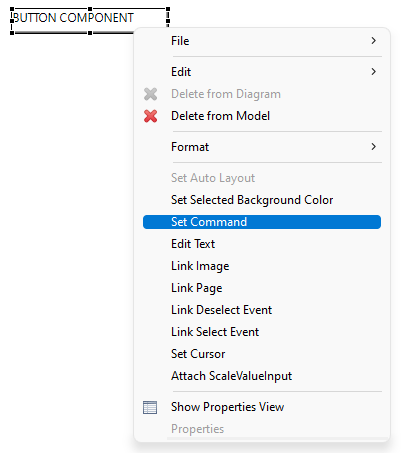
FIGURE 3.138: Context menu to assign a Runtime Command.
The dialog that opens (Set Runtime Command, see Figure 3.139) allows you to select one of the available Runtime Commands. Exactly one command (or EMPTY for none) can then be assigned to the currently selected Button or MenuItem (default is EMPTY).
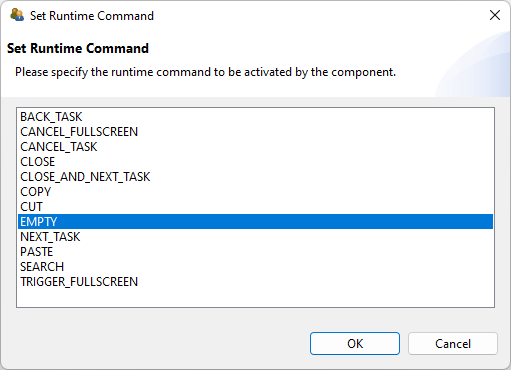
FIGURE 3.139: Dialog Set Runtime Command.
After specifying which command should be triggered by click or touch on the selected Buttons or MenuItems by selecting an entry in the dialog Set Runtime Command the button OK is used to conform the configuration. If a command is already assigned, it can be removed by selecting the command EMPTY or by deselecting the selected entry in the Set Runtime Command dialog.
Runtime Commands can also be defined directly in the Properties view (see property Command in Figure 3.140). The entry EMPTY can be selected to remove a defined Runtime Command.
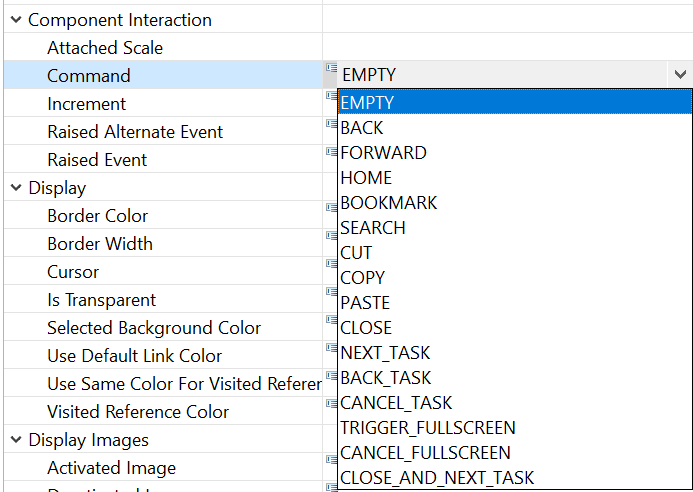
FIGURE 3.140: Property Command in section Component Interaction.
Runtime Commands can also be triggered from the dynamic content of items (see subsection 4.4.6 for specific finite-state machine operators that trigger commands).
3.12.1 Task-related Commands
A Task presented at runtime is always expected to be ended when one of the task-related commands is executed. Task-related Runtime Commands provide the possibility to end an assessment component form within the item.
NEXT_TASK: Ending a task and navigation to the next task is requested with the NEXT_TASK-command, that can be assigned, for instance, to a component of type Button.
NEXT_TASK-command (either linked to a Button as described above in section 3.12 or triggered in th Finite-State Machine (see section 4.4.6) is required for each Task if the test-taker should be able to end the Task. Typically only tasks ended by a planned timeout implemented in the deployment software or tasks ended by an external event triggered by an interviewer or test-administrator have no NEXT_TASK-command.
If no next Task is defined within a CBA ItemBuilder Project Preview or a Task Preview was requested, the NEXT_TASK-command will trigger the message illustrated in Figure 3.141.
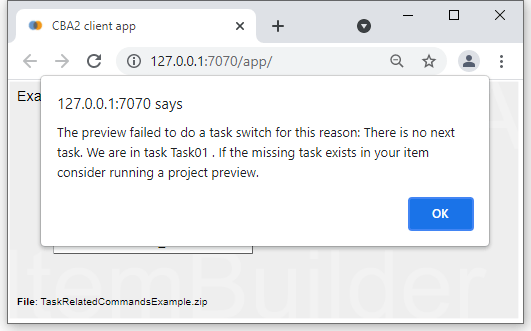
FIGURE 3.141: Preview message when calling the NEXT_TASK-command in the last Task.
BACK_TASK / CANCEL_TASK: For controlling the flow between tasks in more depth, deployment software (see chapter 7) and the TaskPlayer-API (see section 7.7) can additionally support the following commands:
BACK_TASK: Navigates to the previous taskCANCEL_TASK: Cancels the current part of an assessment
A browser-component is an HTML browser control embedded in other software such as an Electron application.↩︎