3.4 Pages and Page Types

Assessment components created with the CBA ItemBuilder, such as items and instructions, are composed by Pages. Each page has a Page Type, which is defined when the page is created. The type of a page determines how the pages can be used to design items.
3.4.1 Basic Page Type Simple Page
Simple Page, which is set when the page is created. The Page Type of a page can be changed after the page is created using the dialog Page Settings.
Depending on the intended task design, pages of different Page Type are required. Section 3.4 gives an overview of the types available in the CBA ItemBuilder and explains the primary purpose for each Page Type.
New Page Dialog: Creating new pages in a project is done by clicking the icon  or by selecting the entry
 Add new page in the context menu (see Figure 3.29).
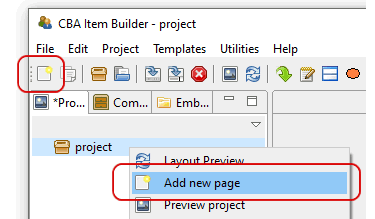
FIGURE 3.29: Toolbar icon and context menu to create a new page.
Both possible methods open the New Page-dialog (see panel A in figure 3.30), where the name for the new page to be created must be entered. Page names must not start with a digit and may only contain characters and digits, without special characters (except for _).
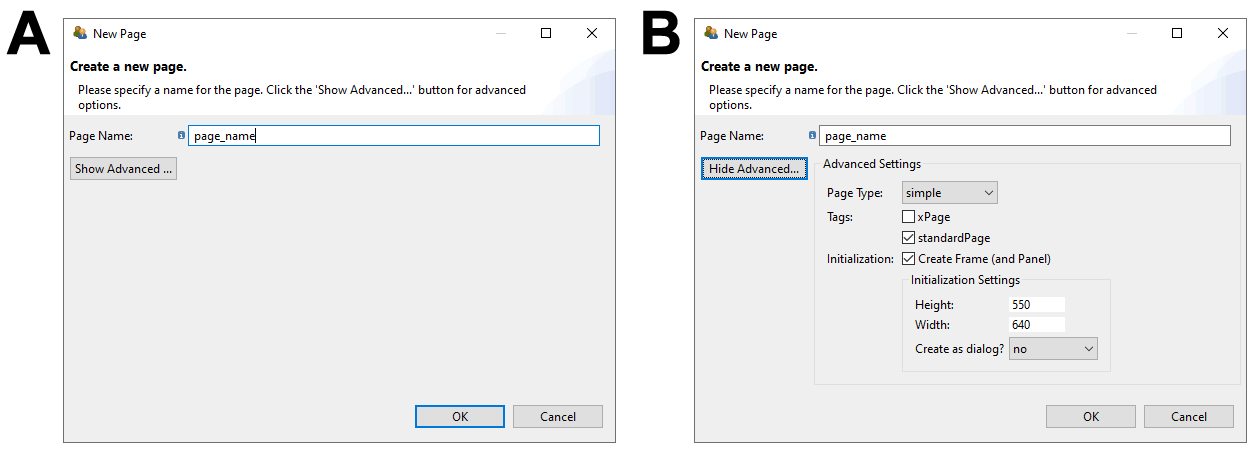
FIGURE 3.30: CBA ItemBuilder New Page-Dialog (left without and right with Advanced properties)
By clicking the Show Advanced button in the New Page dialog, additional properties of new pages to be created can be set (see panel B in figure 3.30).
The page type can be selected (see section 3.4), pages can be tagged as standardPage or xPage (see section 3.4) and it can be deselected that components of type Frame and Panel are automatically created when the page is created (see section 3.5). If this default is kept, then it can be specified in which size Frame and Panel are created and whether the Frame (and thus the page) is created as Dialog (see section 3.15).
| Page Type | Description |
|---|---|
Simple Page \(~~~\) 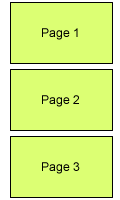 |
Pages of the type simple page can be used to implement assessment components such as items or instruction pages with the CBA ItemBuilder. By default, simple pages are shown in CBA ItemBuilder Tasks separately on screen, filling the available space up to the defined CBA Presentation Size. Simple pages can be linked to other simple pages. Simple pages are the primary page type that can also be used for advanced applications, such as dialogs or as page components included in PageAreas-components. |
xPage \(~~~\) 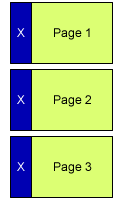 |
A page that is displayed simultaneously with another page in a Task is called an xPage (see section 3.6.2). xPages are typical of type Simple Page, and xPages defined for a Task can remain visible while navigating between different non xPages in the main area of the task. For example, xPages can be used to implement a common instruction or a navigation area that is visible during the complete task. Note that all other page types can also be marked as xPage and that xPages can be combined with pages other than Simple Pages. |
The item in Figure 3.31 uses multiple tasks to illustrate different page types and their use. The additional page types shown in Figure 3.31 and the components that can be added to pages of particular type will be described in subsection 3.13.
3.4.2 Pages Flagged as xPage
xPages are required to implement so-called xPage-layouts. An xPage-layout combines two pages simultaneously on screen (one regular page and one xPage). Pages can be changed using Links (see section 3.11 and Conditional Links, see section 4.3, and by assigning State to pages, see section 4.4.9). The xPage layout briefly described in Table 3.4 (see section 3.6.2 for details) requires that pages of the appropriate size for the particular area be linked in the page-area and the xPage-area. To ensure that this distinction fundamental to as xPage-layouts can be automatically maintained when creating Links using the CBA ItemBuilder’s user interface, regular pages, and pages with the xPage tag are consequently separated. xPages are defined when creating new pages (see Figure 3.32) in the Advanced-section of the New Page-Dialog of the CBA ItemBuilder.
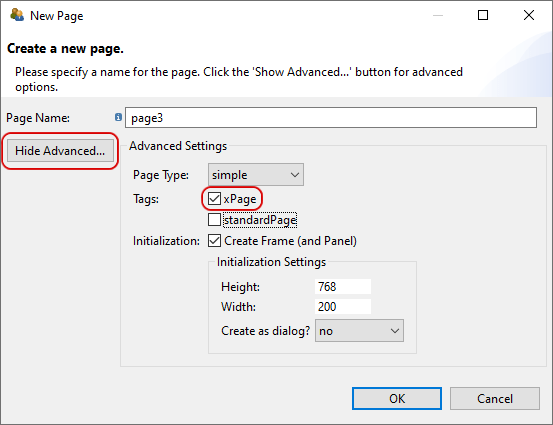
FIGURE 3.32: Tag for creating a new page as XPage.
Pages can also be flagged as xPage (see Figure 3.33, when pages are imported from the Template Browser (see section 6.8.7 for details).
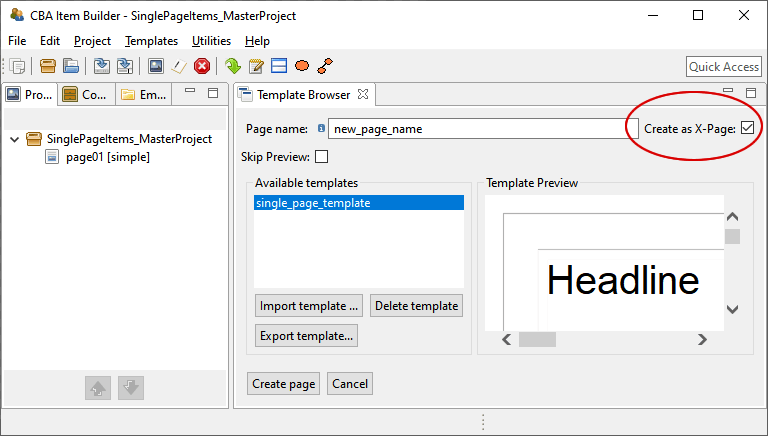
FIGURE 3.33: Checkbox to tag a page created using Template Browser as XPage.
The distinction between regular pages and xPages simplifies and structures complex assessment components created with the CBA ItemBuilder. For the definition of links, pages and xPages are not accidentally mixed. Section 3.11.4 describes how this classification is also applied to dialogs and popups.
The tagging of a page as xPage and / or standardPage can be changed again at any time via the Page Settings-dialog (see figure 3.34). The dialog can be called via the context menu of a page in the Project View.
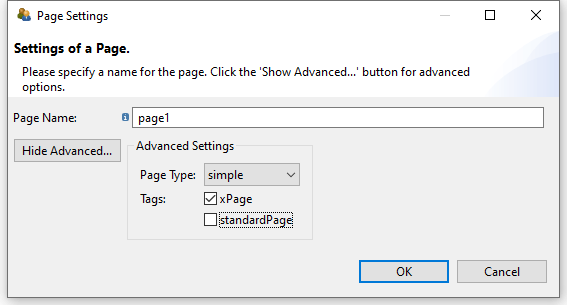
FIGURE 3.34: Dialog for changing Page Settings.
The page type Simple page is the default page type for creating assessment components using the CBA ItemBuilder. The size of Simple page is defined by a component of type Frame used as root element (see section 3.5.1). Each page needs a Frame and only one Frame can be defined each page. Pages of type Simple page can be shown in PageAreas (see section 3.5.4) and the Frame of a Simple page can contain one or multiple PageAreas. Pages of simple type page are also the basis for creating Dialog-pages (i.e. pop-up pages within the item, see section 3.15).
The CBA ItemBuilder also provides additional page types. The page type is central to the functions and features of the CBA ItemBuilder:
Selected components can be added only to pages of a particular type. Unless otherwise specified, the different components described in this chapter are intended for pages of type
simple page.The Component Register (see Appendix B.6) provides a complete listing of which components can be added to pages of which type.To implement a specific task layout, pages flagged with the xPage attribute are required. To implement an xPage-Layout, a regular page and an xPage must be combined (see section 3.6.2 for details).
The page type and the xPage attribute defines which pages can be linked to each other using simple Links and Conditional Links (see section 3.11). For example, pages defined as xPages can only link to other xPages. Similarly, links within Web Child Pages can only be made to other Web Child Pages (see section 3.13.2 for details).
The task definition (see section 3.6.1) is crucial for defining the layout of an assessment component created with the CBA ItemBuilder. The task definition defines if an xPage-Layout is used (see section 3.6.2) and defines the page (and thereby the page type) of the page used as the Start Page.